

 for colors, images, weights, and themes.
What Is the Wheel of Names and How Does It Work?
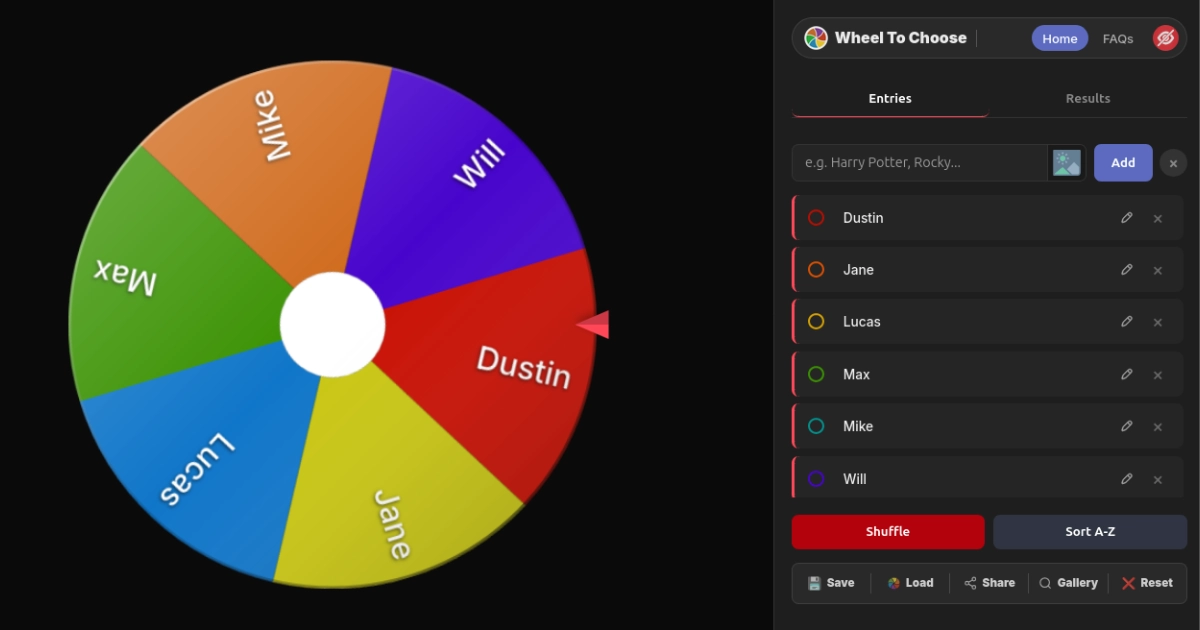
At its heart, the Wheel of Names is a random name picker that lives right in your browser and does one thing ridiculously well: picking a winner from any list you hand it. Type in names (or paste a bunch separated by commas), click the wheel, and a cryptographically secure engine decides who gets picked before the spinning animation even fires up. It's the fastest, fairest way to settle any "who goes first?" debate without someone getting salty about it.
Now, you might be wondering — "It's a spinning wheel, how different can it really be?" Totally fair question. Here's the thing: most wheel spinner tools floating around the internet use Math.random(), which is a pseudorandom function that's technically predictable if someone really wanted to game it. This Wheel of Names skips that entirely and taps into the Web Crypto API (crypto.getRandomValues), pulling entropy straight from your device's hardware. That's the same level of randomness protecting your bank's SSL certificates. Is it overkill for deciding who buys lunch? Probably. But nobody's ever going to question whether this random wheel is actually fair.
Everything runs 100% in your browser. No server chooses the outcome. No account needed. No data leaves your device unless you deliberately share your wheel. Open the page, add entries, spin the wheel, close the tab. That's the whole deal — a Wheel of Names that's genuinely random, genuinely free, and genuinely private. There's nothing to install, nothing to configure on a server, and nothing that requires any kind of technical know-how. If you can type a name into a text box, you can use this thing.
And here's the part that surprises most people: everything you set up on the Wheel of Names is automatically saved to your browser's local storage. That means you can close the tab, reboot your computer, come back a week later, and your entire setup — names, colors, images, settings, all of it — is sitting there waiting for you like nothing happened. No cloud account, no login, no monthly subscription. Just a spinning tool that remembers your stuff and stays out of your way.
Type a name, hit Add (or paste a list like Emma, Liam, Olivia), then click the wheel or press Ctrl + Enter. That's literally it. Winner gets announced with confetti and sound effects. You'll have your answer before your coffee gets cold.
How to Add Names and Spin the Wheel of Names
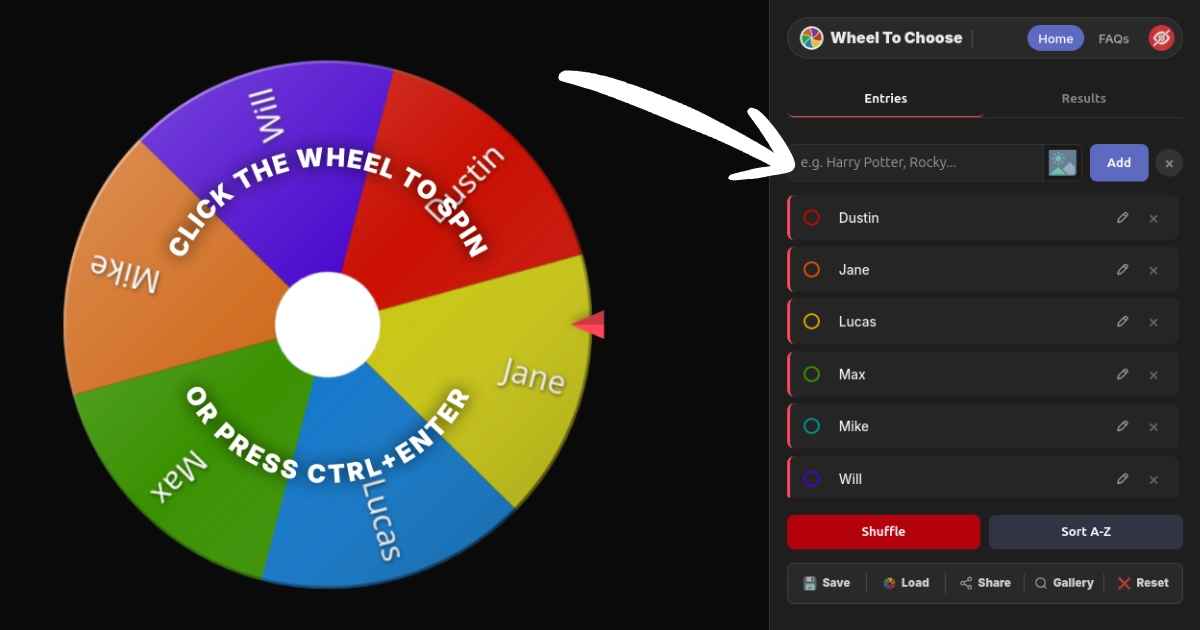
Using the Wheel of Names takes roughly ten seconds from "I just opened this page" to "we have a winner." There's no learning curve, no tutorial video you have to watch first, and no account creation screen standing between you and your result. Here's exactly what happens every time you hit spin:
Throw Your Names Into the Wheel of Names
Type names one at a time and click Add, or paste a comma-separated list like Emma, Liam, Olivia, Noah to load them all in one shot. Each entry gets its own color-coded slice on the spinning wheel, and the colors are automatically assigned so the whole thing looks good without any effort on your part. Want to get fancy? You can attach images — student photos, product shots, team headshots — using the 📷 upload icon next to the input field (2 MB max per image). The images get embedded directly into the wheel slices, which looks fantastic on projectors and streams.
Click the Wheel of Names (or Press Ctrl + Enter)
The instant you click, the cryptographic engine fires up. It pulls a random number from your device's hardware entropy pool using crypto.getRandomValues(). The winner is already locked in before any visual motion happens. Everything that follows is basically a really satisfying spinning animation designed to build anticipation and make the whole experience feel exciting rather than clinical.
Watch the Wheel of Names Spin
The random wheel accelerates, coasts, and decelerates with realistic physics that feel natural and smooth. You'll hear a tick-tick-tick as the pointer passes each slice — it's weirdly satisfying, honestly. The deceleration guides the wheel spinner to land naturally on the predetermined winner. No snapping, no sudden stops, no sketchy behavior. The animation is smooth enough for live streams and dramatic enough for classroom reveals.
The Wheel of Names Picks Your Winner
Confetti explodes (or fireworks, or nothing — your call), a sound plays from ten different options, and the winner's name pops up in a big bold announcement with their image if you attached one. Every result gets logged in the Results tab with ordinal rankings (1st, 2nd, 3rd). From there you can export the whole history as a PDF, remove the winner from the wheel so they can't win again, or spin again for the next round. The entire spin history persists until you manually clear it, so you've always got a record of every pick.
The whole visual experience takes a few seconds. But the actual randomness? That happens in microseconds, determined by your device's hardware. Nobody — not even us — can predict or mess with who the Wheel of Names picks. The animation exists purely to make the experience fun and theatrical, but the math behind it is dead serious.
Wheel of Names Features That Actually Matter

Most random name pickers hand you a text box and a button. That's fine for picking one person out of five, but real life is messier than that. Classrooms need images so students can see their faces on the spinning wheel. Giveaways need weighted odds so sponsors can have a bigger slice. Streams need transparent overlays that don't show your messy browser tabs. Here's what this Wheel of Names actually delivers:
Per-Entry Images
Attach photos to individual slices — student faces, product shots, team headshots. Max 2 MB each. They scale automatically inside each slice on the spinning wheel so nothing looks weird or gets cropped awkwardly.
Weighted Probabilities
Give entries different odds on the Wheel of Names. Weight 1 to 100 per entry. A weight of 5 means that slice is five times more likely to win. Bigger weight equals a visually bigger slice, so everyone watching can see the odds are completely transparent and above board.
Custom Slice Colors
Full hex color picker for every single slice on your Wheel of Names. Click the color dot next to any entry and go wild with presets or paste a custom hex code. Match your brand colors, your school colors, or just make it look absolutely ridiculous — we don't judge.
10 Winner Sounds
Default, Applause, Fanfare, Bell, Ta-da!, Air Horn, Cheer, Magic, Game, and You Win. Preview each one before picking so you know exactly what you're getting. Mute the tick sound and winner sound independently if you're in a library or a quiet office. Or crank the Air Horn if nobody's stopping you.
3 Celebration Styles
Confetti burst, fireworks particles, or a clean result with no animation for when you're being a serious adult making serious decisions with the Wheel of Names. (We still recommend confetti though. Always confetti.)
PDF Export
Download the full winner history from your Wheel of Names as a formatted PDF with ordinal rankings and entry images. Essential for giveaway audits, classroom documentation, corporate raffle records, and proving to Karen in HR that the draw was completely legit.
Auto-Remove Winners
Toggle this on and each winner disappears from the Wheel of Names right after being picked. Remaining slices expand in real time so the wheel always looks full and balanced. Perfect for raffles, tournament brackets, and any situation where repeat winners would cause an uprising.
3 Themes + Light Mode
Default (indigo), Neon (green), and Gold (amber) color themes, plus a full light/dark toggle. Light mode is an absolute lifesaver for projectors and classrooms where dark mode makes everything invisible on screen. The theme you pick applies everywhere — the wheel, the controls, the modals, all of it.
But wait — there's more (said in my best late-night infomercial voice). The Wheel of Names also includes custom wheel titles, center logos with adjustable size, wheel face overlays, full-page background images, live canvas animations (particles, waves, geometric patterns), three spin durations, a resizable entry list with drag-to-resize, and a Community Gallery for browsing creations from other users. Every single setting is saved automatically and travels with your .Wheel files and shareable links. You build your perfect setup once, and it follows you everywhere.
Is the Wheel of Names Actually Fair? (Spoiler: Absolutely)

This is the question that actually matters when something's on the line. A giveaway with real prizes where the winner takes home actual money or merch. A classroom draw where students are watching like hawks and will absolutely call you out if it looks rigged. A stream raffle with 10,000 viewers ready to spam "RIGGED" in chat the second something looks off. You need to know the Wheel of Names is legit.
Short answer: it is. Long answer: here's exactly why you can trust every single spin.
The Wheel of Names Uses Banking-Grade Randomness
Most spinning wheel tools use JavaScript's Math.random(), which is pseudorandom — fast and good enough for animations, but technically predictable if someone reverse-engineers the seed. This Wheel of Names skips that entirely and calls crypto.getRandomValues(), which pulls numbers from your device's hardware entropy pool. That's the same source of randomness that generates your TLS/SSL encryption keys — the stuff protecting your bank account, your email, and every secure transaction you make online. Using banking-grade crypto for a spin wheel tool is absolutely overkill, and honestly, we're kind of proud of that.
100% Client-Side — No Server Decides Your Wheel of Names Winner
The winner is determined entirely inside your browser. No API call decides who wins. No server processes anything. No external force can touch the outcome. That means no man-in-the-middle attacks, no backdoors, and zero possibility that anyone — including the people who built this spinning tool — can see or change the result. Your browser is the judge, jury, and executioner, and it answers to nobody but the laws of cryptographic mathematics.
Anti-Repeat Protection on the Wheel of Names
When there are more than two entries on the random wheel, the engine avoids picking the same winner twice in a row. If the same index comes up back-to-back, it re-rolls once. This doesn't reduce anyone's overall probability — it just prevents that awkward "wait, THEM again?" moment that makes everyone in the room suddenly suspicious even though it was perfectly legitimate.
The outcome is locked the microsecond you click the Wheel of Names. The spin animation is pure theater — exciting theater, but theater nonetheless. You can tell your students, viewers, coworkers, or anyone else with total confidence that this wheel spinner produced a genuinely fair result. The same cryptographic standard that protects your online banking protects every single spin on this page.
Who Actually Uses the Wheel of Names?
A random wheel might look like a toy, but the Wheel of Names shows up in way more places than you'd think. From elementary school classrooms to Fortune 500 team meetings, from Twitch streams with thousands of viewers to family dinner tables where nobody can agree on pizza toppings — people spin this thing every single day. Here's who's using it and what they're using it for:
Teachers & Classrooms
Randomly calling on students, assigning groups, picking activities, running reward draws with the Wheel of Names. Save separate .Wheel files per class period so you're not rebuilding from scratch every hour. Export results as PDF for your records. Works beautifully on Chromebooks with zero IT red tape or software installation. Check our teacher's guide for the full classroom setup.
Streamers & Giveaways
Sub giveaways, viewer challenges, game picks, dare wheels, punishment wheels — streamers use the Wheel of Names for all of it. The dedicated Stream Mode gives you a transparent OBS overlay — no panels, no ads, just the spinning wheel on your stream. Chat goes absolutely wild when the Wheel of Names starts spinning. See our streamer guide for the complete OBS setup.
Teams & Meetings
Who presents first? Who's on the lunch run today? Sprint retro speaking order? The Wheel of Names is quick, fair, and nobody can argue with cryptographic randomness. Screen-share on Zoom or Teams and let the wheel do the talking. It's a surprisingly effective icebreaker for new teams, too.
Events & Raffles
Raffle draws at parties, conferences, charity events, and community gatherings using the Wheel of Names. The PDF export creates an auditable paper trail that satisfies even the most skeptical organizers. Share a link so remote attendees can watch the random wheel spin in real time from wherever they are.
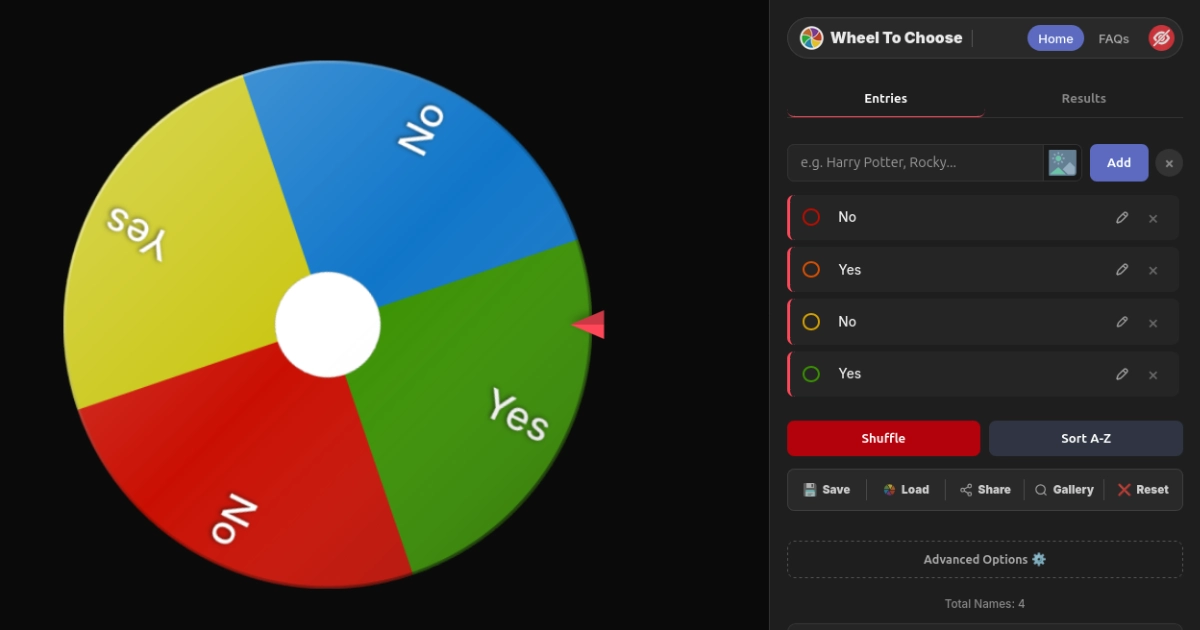
Yes or No Decisions
Add "Yes" and "No" for a 50/50 deciding wheel. Turn on weighted slices to bias the odds on your Wheel of Names. Throw in "Maybe" and "Ask Later" if you're the kind of person who has trouble committing to anything. Read our Yes or No Wheel guide for creative ways to use it.
Families & Everyday Life
Where to eat tonight, what movie to watch, chore assignments, game night picks, weekend activity planning. The Wheel of Names keeps it fair, it's fun for all ages, and kids absolutely lose their minds when the spinning wheel starts moving. Install the PWA to your home screen for instant one-tap access whenever a decision needs making.
Here's something genuinely interesting: when the Wheel of Names gives you an answer and you immediately feel a pang of disappointment, you've actually figured out what you really wanted all along. The wheel doesn't just make the decision — it reveals your hidden preference by giving you something to react to. Pretty clever for a spinning circle, right? Psychologists actually have a name for this phenomenon, and it works every single time.
How to Customize Your Wheel of Names (Everything Is Fair Game)
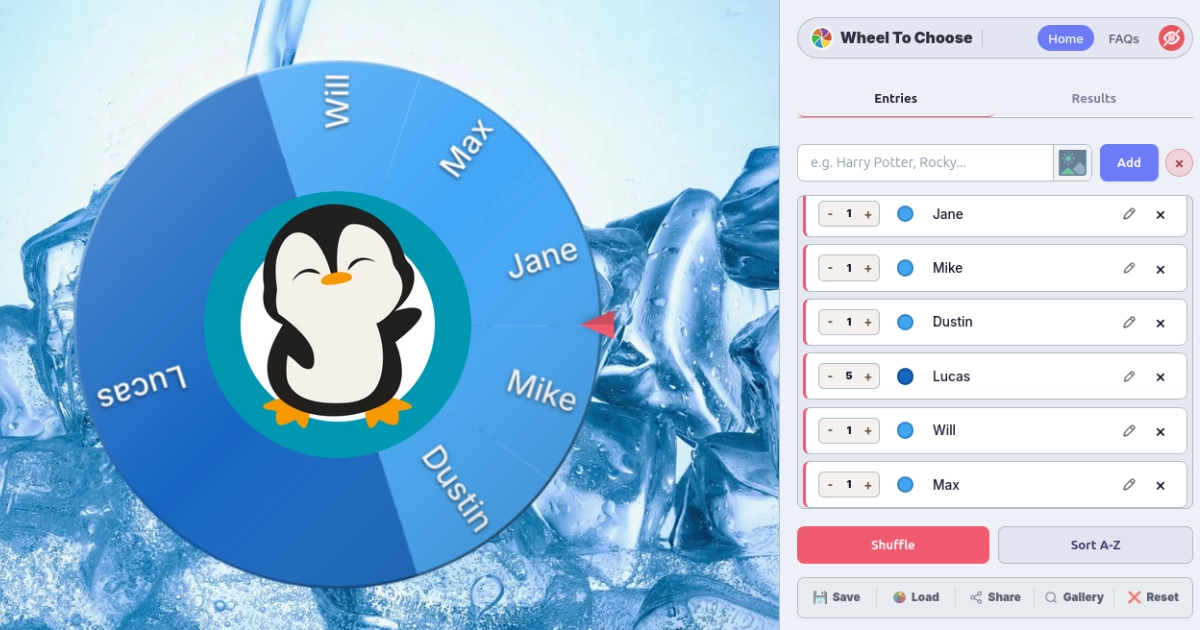
Most picker wheels give you a text list and a spin button, and that's where the customization story ends. The Wheel of Names gives you a full wheel-building workshop with more options than you'll probably ever need — but they're all there when you want them. Open Advanced Options ⚙️ and prepare to lose 20 minutes making your wheel look incredible. For the complete walkthrough with screenshots, see our customization guide.
Visual Customization for Your Wheel of Names
- Per-slice colors — full hex picker for every individual entry on the spinning wheel
- Entry images — attach photos, logos, or icons to any slice (max 2 MB each)
- Wheel face overlay — cover the entire wheel surface with a custom image (max 5 MB, ideal 500×500 px)
- Center logo — a fixed image in the hub of the Wheel of Names with adjustable size from 0% to 100%
- Page backgrounds — choose from a curated gallery of options or upload your own custom background
- Live canvas animations — particles, waves, geometric patterns running behind the Wheel of Names at 30 FPS without slowing anything down
Sound, Celebration & Spin Settings on the Wheel of Names
- 10 winner sounds with preview — from the subtle Bell to the absolutely ridiculous Air Horn
- 3 celebration styles — confetti burst, fireworks particles, or the "I'm a professional" clean result
- Independent mute controls — silence the tick sound, the winner sound, or both at the same time
- 3 spin durations — Short for rapid-fire quiz games, Medium for everyday use, Long for maximum giveaway suspense that makes everyone hold their breath
Behavioral Options on the Wheel of Names
- Weighted slices — 1 to 100 per entry, probability matches visible slice size on the wheel spinner so everyone can see the math is fair
- Auto-remove winners — one-and-done mode for raffles, brackets, and any scenario where repeat picks aren't allowed
- Custom titles — label your Wheel of Names "Period 3 English" or "Friday Night Giveaway" or anything else you want displayed at the top
- Hide Q&A and Footer — strip it down to a clean, minimal view that's perfect for presentations and screen sharing
Every customization you make is preserved in auto-save, .Wheel files, and shareable links. Build your perfect Wheel of Names setup once, and it follows you everywhere you go — across devices, across browsers, across time.
Save, Share & Export Your Wheel of Names
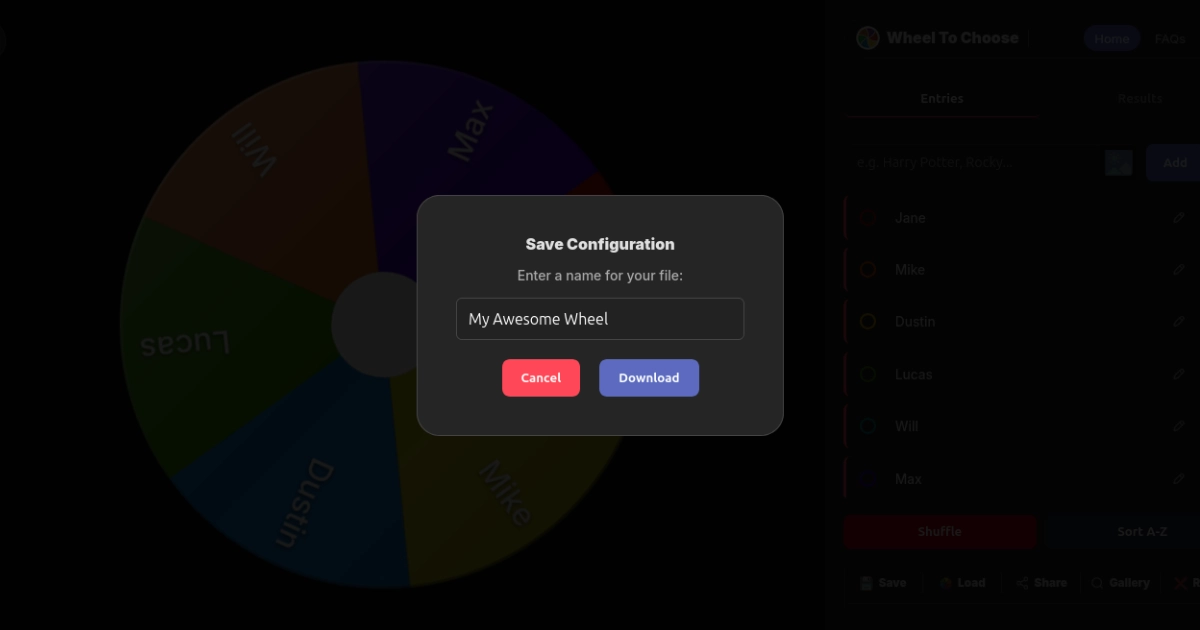
Nobody wants to re-type 30 names every time they open a browser tab. The Wheel of Names gives you three completely independent ways to keep your setup alive and ready to go whenever you need it:
Auto-Save Your Wheel of Names (It Just Works)
Everything saves automatically to your browser's local storage after every single change you make. Close the tab, shut down your laptop, come back two weeks later — your Wheel of Names is exactly how you left it with every name, color, image, and setting intact. You don't have to click anything or remember to save. It quietly does its job in the background every time something changes.
Portable .Wheel Files for Your Wheel of Names
Click Save to download a .Wheel file that captures absolutely everything about your Wheel of Names — names, colors, images, weights, title, theme, sounds, celebration style, every single toggle. Teachers keep separate files per class (period-3-english.wheel), streamers prep giveaway configs ahead of time (sub-raffle-march.wheel), and teams share meeting wheels with new hires. On any device, click Load, pick the file, and you're back in business instantly.
Shareable Links & Community Gallery for the Wheel of Names
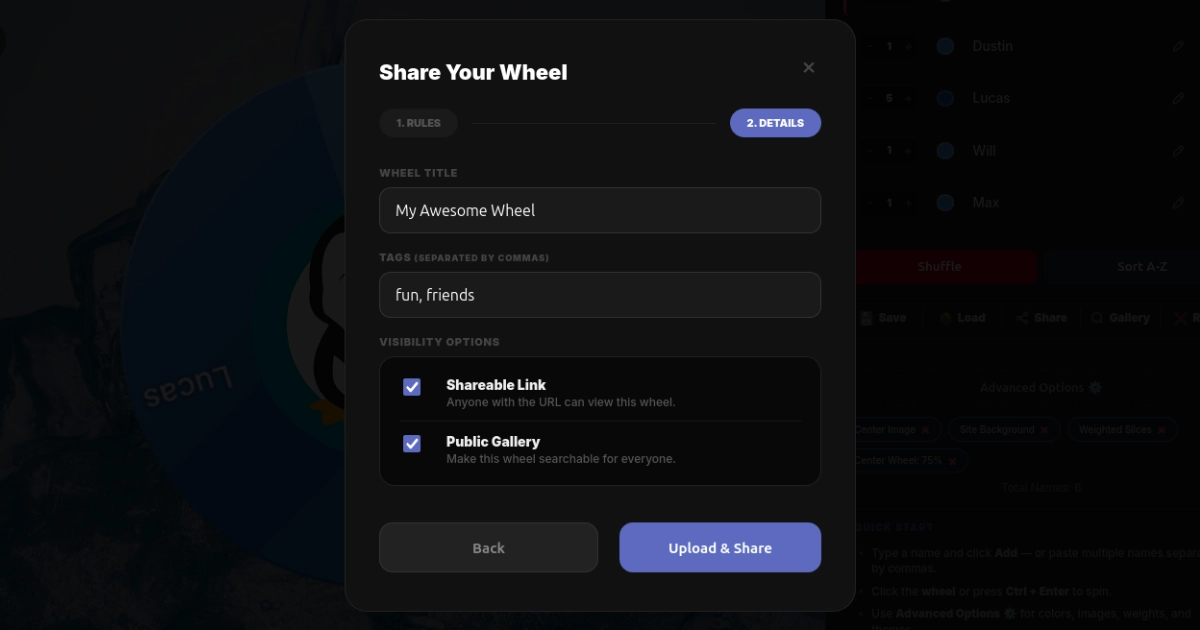
Click Share to generate a unique URL for your Wheel of Names. Anyone who opens that link can spin your wheel with all your names, colors, images, and settings perfectly preserved. Want to go public with it? Publish it to the Community Gallery so anyone on the internet can discover and spin your creation. Built-in share buttons handle WhatsApp, Facebook, X, and Snapchat so you can blast it out to whoever needs to see it.
PDF Export for the Paper Trail
Hit Download PDF in the Results tab to get a cleanly formatted document with your complete Wheel of Names winner history — ordinal rankings, entry images, timestamps, the works. This is the feature that makes auditors, school administrators, event coordinators, and HR departments genuinely happy. When someone asks "can you prove the draw was fair?" you hand them the PDF and the conversation is over.
The Wheel of Names Works on Your Phone, Tablet, Chromebook — Everything
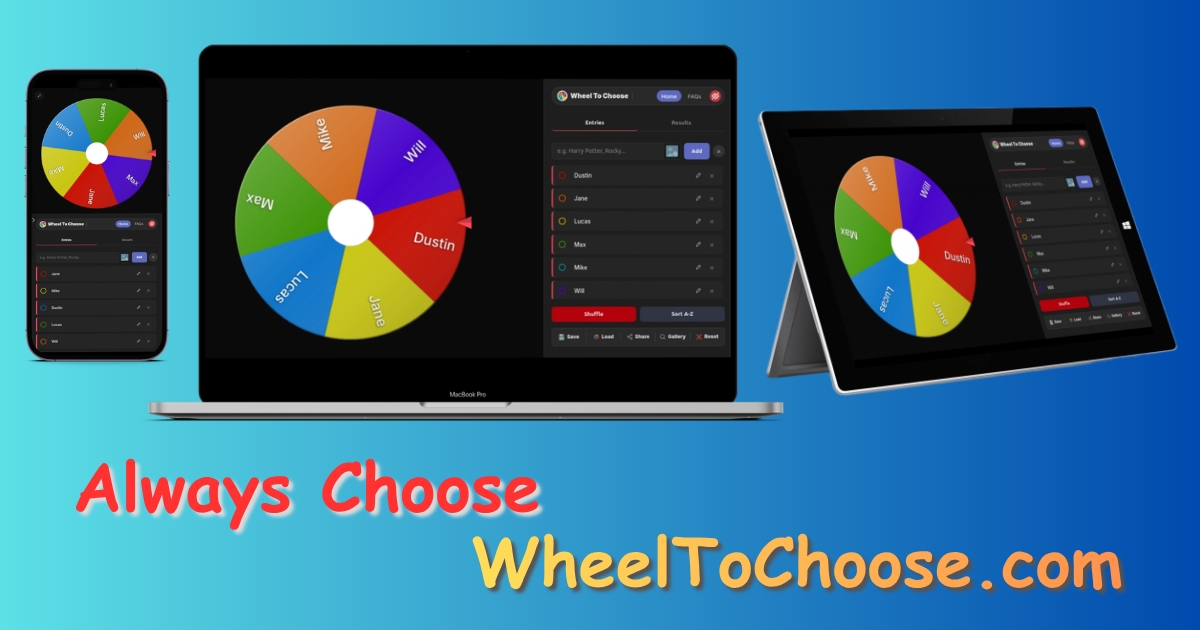
The Wheel of Names is a fully responsive Progressive Web App that's been tested on basically everything with a screen and a browser. We didn't just make it "work" on mobile — we made it feel native on every single platform. Here's how the spinning wheel performs on each device type:
- Phones (iOS & Android): Adapts smoothly to portrait and landscape orientations. Tap to spin the wheel, drag to resize the entry list. Install via "Add to Home Screen" for app-like fullscreen access — no app store needed, no storage wasted.
- Tablets: The larger screen shows the Wheel of Names and the controls panel side by side in a desktop-style layout that makes full use of the extra real estate.
- Chromebooks: Runs entirely in Chrome with zero installation, zero admin permissions, and zero IT approval required. This is the single most common device in American schools, and we made absolutely sure the Wheel of Names works flawlessly on it from day one.
- Desktops: Full keyboard support —
Ctrl+Enterto spin the wheel, tab navigation through every element, inline name editing by clicking directly on entries. - Projectors & interactive whiteboards: Touch compatible, light mode for bright rooms where dark interfaces wash out, and fullscreen mode for a clean display of your Wheel of Names without any browser chrome.
Once loaded, core features work offline via local storage — reliable even when your school's WiFi decides to take an unscheduled lunch break. Teachers can check our classroom guide for detailed projector and Chromebook tips that'll save you time on setup day.
Wheel of Names Stream Mode — Your Twitch Chat Will Love This
If you're a streamer, you already know the pain of trying to find a giveaway wheel that works as a clean OBS overlay — not your entire browser tab with bookmarks, extensions, and 47 open tabs visible to your audience. The Wheel of Names has a dedicated Stream Mode built specifically for live broadcasting scenarios:
How to Set Up the Wheel of Names in OBS
- Open
/streaming.htmland copy the unique Browser Source URL that's generated for your session - Add it as a Browser Source in OBS Studio (800×800 px recommended for optimal display)
- Edit names on the dashboard, click Push Changes to Overlay to sync everything
- Right-click the source in OBS → Refresh to load the latest names
- Spin the Wheel of Names — your viewers see the spinning animation, the celebration effects, and the winner announcement live on stream with zero delay
The overlay is completely transparent — no panels, no buttons, no ads, no clutter. Just the Wheel of Names floating on your stream like it belongs there. Each session has a private 16-character stream key so nobody can mess with your setup. Data auto-deletes after 7 days of inactivity so nothing sticks around after your event. Works with OBS Studio, Streamlabs, XSplit, Twitch Studio, TikTok Studio, YouTube Live, Discord, Kick, and Prism Live. For the full step-by-step setup walkthrough with screenshots, check our streamer's guide.
Don't need a fancy transparent overlay? Just screen-share the browser tab on Zoom, Google Meet, Teams, or Discord. The Wheel of Names animation, tick sounds, and celebration effects all come through perfectly for everyone in the call. It takes about five seconds to set up and works great for casual team meetings and virtual events.
Wheel of Names Guides & Tutorials
Want to squeeze every last drop of value out of the Wheel of Names? These guides go deep on specific use cases with step-by-step instructions and real-world examples.
Wheel of Names — Frequently Asked Questions
What is the Wheel of Names on WheelToChoose?
The Wheel of Names on WheelToChoose is a free, browser-based spinning wheel that picks a random name from any list you give it. It uses cryptographic randomness from the Web Crypto API — the same technology that secures your online banking and protects encrypted communications worldwide. There's no signup, no downloads, and no hidden fees lurking behind a paywall. You get custom slice colors, per-entry images, weighted probabilities, PDF export, portable .Wheel save files, shareable links, a Community Gallery, Stream Mode for OBS, and full PWA installation. It's basically the Swiss Army knife of wheel spinner tools.
How do I add names and spin the Wheel of Names?
Type a name and hit Add, or paste a comma-separated list to load them all at once into the Wheel of Names. When you're ready, click the wheel or press Ctrl + Enter to spin. The cryptographic engine picks the winner before the spinning animation even starts — the visual spin is entirely for the suspense and drama. When the spinning wheel stops, you get confetti, fireworks, or a clean announcement depending on your settings, plus one of ten winner sounds that range from subtle to absolutely ridiculous.
Is the Wheel of Names random selection actually fair?
Yes, and it's not even close to being rigged. The Wheel of Names winner is chosen using crypto.getRandomValues(), which pulls randomness from your device's hardware entropy pool — the same cryptographic standard that powers SSL/TLS encryption across the entire internet. The result is locked before the wheel starts spinning. Everything runs locally in your browser with zero server involvement. No one can see, predict, or tamper with the outcome. Period.
Can I use the Wheel of Names as a Yes or No decision maker?
Absolutely. Just add "Yes" and "No" as your two entries on the Wheel of Names and you've got yourself a 50/50 deciding wheel powered by the same cryptographic randomness as every other spin. Want to tilt the odds? Turn on Weighted Slices and set Yes to 75 and No to 25 — now it's a 75% yes random wheel with the slice sizes visually reflecting the probability. You can also throw in "Maybe," "Ask Later," or "Let The Universe Decide" if you're feeling particularly indecisive about things.
Can I save my Wheel of Names and use it on another device?
Yep, three completely different ways. Auto-save keeps your entire Wheel of Names in your browser's local storage automatically — close the tab, come back next week, and everything is exactly where you left it. Click Save to download a portable .Wheel file that captures every single detail of your setup including images, colors, and all settings. Click Share to generate a unique URL that anyone can open and spin your wheel from their own device. Teachers keep separate files per class, streamers prep giveaway configs ahead of broadcast, and teams share meeting wheels with new members.
What customization options does the Wheel of Names have?
Way more than you'd expect from a spinning wheel, honestly. The Wheel of Names offers per-slice colors with a full hex picker, per-entry image uploads, wheel face overlays, center logos with adjustable size, page backgrounds from a curated gallery or your own uploads, live canvas animations running behind the wheel, three color themes, light and dark mode, ten winner sounds with preview, three celebration styles, three spin durations, independent mute controls for tick and winner sounds, custom wheel titles, and a drag-to-resize entry list. Every single customization saves to auto-save, .Wheel files, and shareable links automatically.
Can winners be removed automatically from the Wheel of Names?
Yes, and it works beautifully. Flip on Auto-Remove in Advanced Options and each winner gets pulled off the Wheel of Names the instant they're picked. The remaining slices expand in real time on the spinning wheel so the visual always looks balanced and full. You also get manual "Remove & Close" and "Keep & Close" buttons on every winner popup for situations where you want to decide case by case. Every result is logged automatically with ordinal rankings and the full history is exportable as a formatted PDF.
Does the Wheel of Names work on phones and tablets?
Works everywhere, honestly. The Wheel of Names is a fully responsive Progressive Web App that's been tested extensively on Chrome, Safari, Firefox, and Edge across iOS, Android, Windows, macOS, and ChromeOS. Tap to spin the wheel on phones, enjoy the side-by-side layout on tablets, and use full keyboard shortcuts on desktop. You can install it to your home screen for app-like fullscreen access — no app store download needed and it takes up virtually no storage. Core features continue working offline once the page has loaded, which is a lifesaver in schools with unreliable WiFi.
Can I use the Wheel of Names on a Twitch or YouTube live stream?
That's literally what Stream Mode was built for. It gives you a transparent Browser Source overlay for OBS Studio, Streamlabs, XSplit, and basically every other streaming software out there. The overlay shows only the Wheel of Names — no panels, no buttons, no ads, no distracting UI elements. Each session gets a private 16-character stream key so your setup stays secure. Edit names on the dashboard, push changes to the overlay, and the spinning wheel updates live on your stream without any interruption. Data auto-deletes after 7 days of inactivity so nothing lingers after your event is done.
Can teachers use the Wheel of Names in classrooms?
Teachers absolutely love the Wheel of Names — it's one of the most popular use cases we see. Use it to randomly call on students without anyone feeling singled out, assign groups fairly, pick classroom activities, or run end-of-week reward draws that get the whole class excited. Save separate .Wheel files for each class period so you're never rebuilding your list from scratch, export the winner history as a PDF for your documentation and records, and use light mode so the projector doesn't blind everyone in the front row. Zero accounts needed, zero software to download, zero IT approval required — just open the Wheel of Names in Chrome on any Chromebook and you're ready to go in about ten seconds.
 Visual Customization




 Behavior
 Style & Preferences