Why Every Classroom Needs a Random Name Picker
Here's a pattern every teacher recognizes: you ask a question, and the same five students shoot their hands up. The rest of the class checks out because they know they won't be called on. It's not that those quiet kids don't know the answer — they just don't volunteer. And honestly, picking names "randomly" from memory isn't random at all. We all have unconscious patterns.
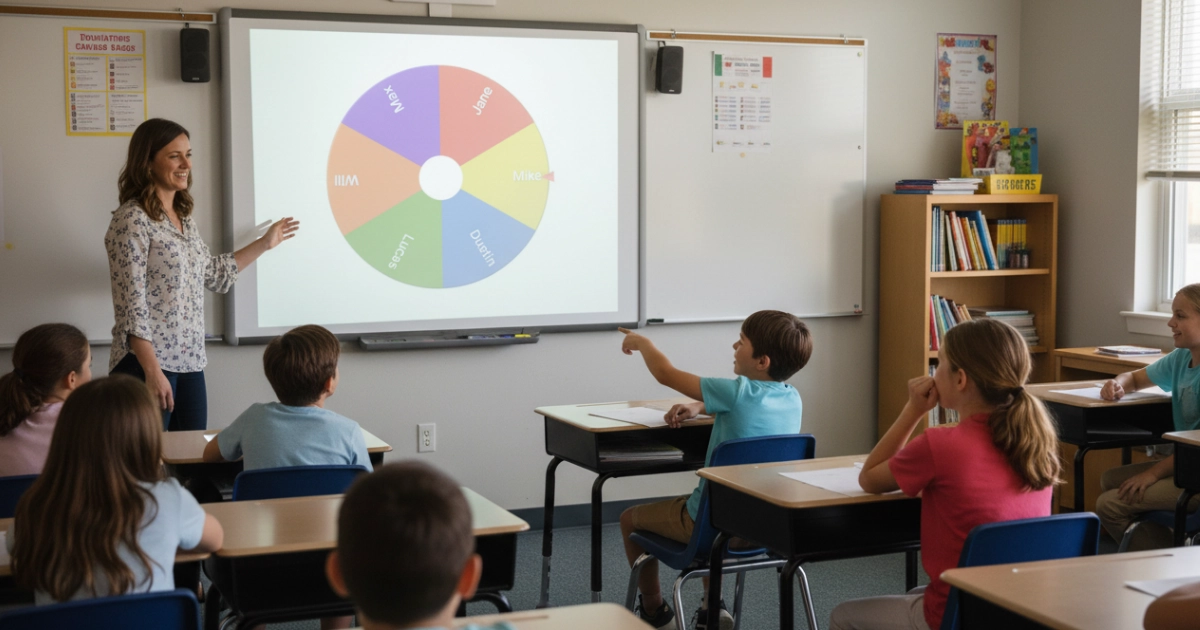
A random name picker wheel eliminates that entirely. Every student has an exactly equal shot at being selected, every single time. The kids who never raise their hands suddenly have to engage because the wheel doesn't care about who's sitting in the back corner. And the best part? Students actually enjoy it. There's genuine excitement watching the wheel spin and slow down. It turns a mundane "who wants to answer?" into a mini event that the whole class pays attention to.
It also takes the pressure off you as the teacher. No more worrying about whether you're calling on certain students too much or too little. No more awkward moments deciding who goes next. The wheel decides, and everyone accepts it because they can see it's fair. That's the whole point.
WheelToChoose uses the Web Crypto API (crypto.getRandomValues) to select the winner before the animation starts. This is cryptographic-grade randomness — the same standard used in banking and encryption. Every student genuinely has the same chance. No patterns, no bias, no way to game it.
How to Set Up Your Classroom Wheel in 60 Seconds
No accounts, no downloads, no IT tickets. Just open the site and start adding names. Here's the full walkthrough:
Open WheelToChoose.com
Works in Chrome, Safari, Firefox, Edge — any browser on any device. No login required.
Add Your Student Names
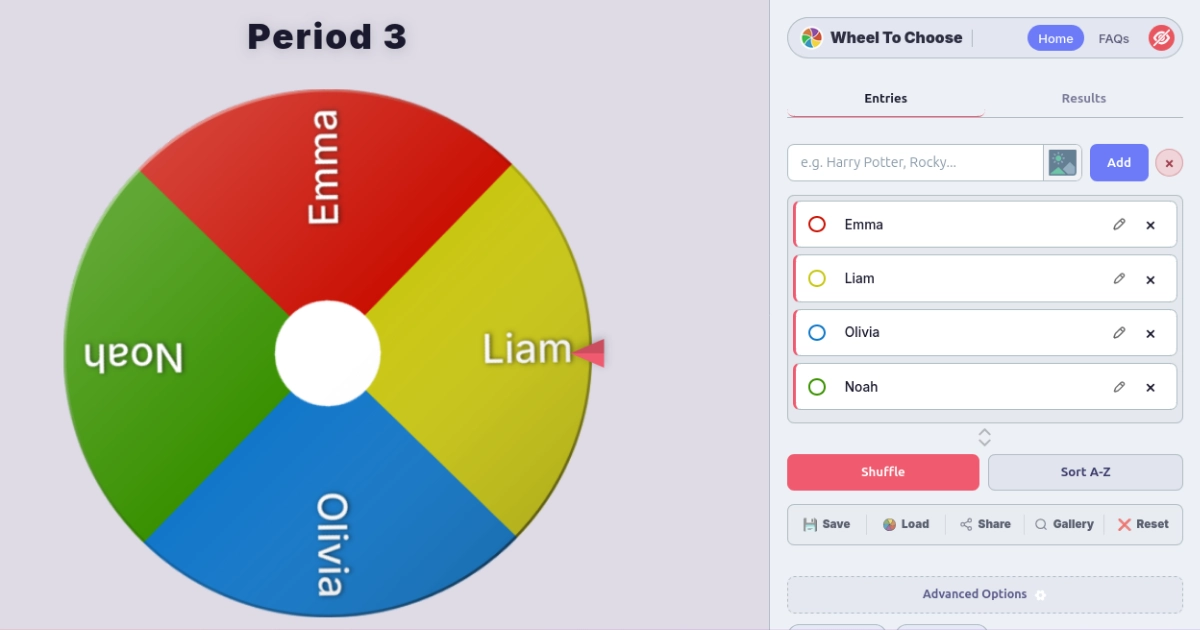
Type each name and click Add. Or paste your entire class roster separated by commas — Emma, Liam, Olivia, Noah — and they all load at once.
Customize (Optional)
Change slice colors, upload student photos, switch to Light Theme for projector visibility, or add a class title like "Period 3 — English."
Save Your Class List
Click Save to download a .Wheel file. Make one for each class period. Switch between them in seconds with Load.
Spin to Pick a Student
Click the wheel or press Ctrl + Enter. Confetti explodes, the winner is announced, and every pick is logged in the Results tab.
Enable Light Theme in Advanced Options for better visibility in well-lit classrooms. Use the Hide Panel button to let the wheel fill the entire screen. On interactive whiteboards, tap the wheel directly to spin — it's fully touch-compatible.
Attendance That Students Actually Enjoy
Traditional attendance is boring. You read names from a list, students mumble "here," and everyone stares at their desk. It takes two minutes and accomplishes nothing except confirming who showed up.
Now try this instead: spin the wheel. Whoever it lands on has to answer a quick icebreaker — "What did you have for breakfast?" or "Name one thing you're looking forward to today." Then spin again. Repeat until you've gone through the class. You still get your attendance done, but now it's interactive and students are actually awake at 8 AM.
Enable Auto-Remove in Advanced Options so each student is taken off the wheel after they respond. That way nobody gets picked twice, and you can visually see who's left. When the wheel is empty, attendance is done.
If a student is absent, just click their name in the list and delete it before spinning — or use the Remove & Close button if the wheel lands on them. You can also manually remove names from the entry list at any time without resetting the whole wheel.
Fair Group Assignments in Under a Minute
Letting students pick their own groups always ends the same way — best friends cluster together, someone gets left out, and the groups are wildly unbalanced. Assigning groups yourself takes forever and someone always complains it's unfair.
The wheel solves both problems. Load your class list, enable Auto-Remove, and start spinning. The first four names are Group 1. The next four are Group 2. Keep going until everyone's assigned. It's visibly random — students can see the wheel spin — so there's nothing to argue about.
For recurring projects, save each group configuration as a separate .Wheel file. Name them something like science-lab-groups.wheel or reading-circles-week3.wheel. Next time, just load the file and you're ready.
Need to balance groups by skill level? Enable Weighted Slices and give stronger students a slightly higher weight so they're distributed across groups first. The wheel still looks random to the class, but you've quietly ensured balanced teams.
Quiz Games That Feel Like Game Shows
Turn any review session into something students actually look forward to. Instead of going down the roster or asking for volunteers, spin the wheel to pick who answers each question. Suddenly it's not a quiz — it's a competition. Students pay attention because they might be next, and there's real energy in the room when the wheel starts slowing down.
How to Run a Wheel-Based Quiz
- Load your class list onto the wheel.
- Ask a question to the whole class.
- Spin the wheel to pick who answers.
- If they get it right, they earn a point (track it in the Results tab). If not, spin again for a steal opportunity.
- At the end, download the Results PDF — it shows every pick in order with ordinal rankings (1st, 2nd, 3rd...).
Keep Auto-Remove off for quiz games so students can be picked multiple times. This keeps everyone on their toes the entire session. For elimination-style rounds, turn Auto-Remove on so each student only gets one shot.
Choose between confetti, fireworks, or none in Advanced Options. For younger classes, the confetti explosion when a name is picked adds real excitement. Pick from ten winner sounds — Ta-da!, Fanfare, and Cheer work great for quiz games.
Behavior Rewards — Make Good Choices Pay Off
Positive reinforcement works way better than punishment, and a random name picker makes it tangible. Throughout the week, students who demonstrate good behavior, kindness, or extra effort get their name added to a special "Reward Wheel." On Friday, spin it to pick who gets a prize — extra recess, homework pass, sit-anywhere day, choose the class activity, whatever works for your group.
The beauty is that students can see their name on the wheel. It's visible, concrete proof that their good behavior was noticed. And because the selection is genuinely random, it doesn't turn into a "teacher's pet" situation. A kid with one entry has a real chance against a kid with three entries.
Weighted Rewards for Extra Motivation
Enable Weighted Slices and give students additional weight for each positive behavior recorded. If a student earned three good-behavior points, set their weight to 3. A student with one point gets a weight of 1. The wheel visually shows larger slices for students with more points, so the incentive is visible and fair — more effort means better odds, but everyone still has a shot.
Friday Reward Spin
Weekly prize draw for students who earned behavior points throughout the week.
Reading Raffle
Each finished book earns an entry. Spin monthly for book-related prizes.
Classroom Jobs
Assign weekly responsibilities — line leader, board eraser, supply manager — randomly and fairly.
Activity Picker
Load activity options instead of names — indoor recess, free draw, movie time — and let the class spin.
Features Teachers Actually Care About
WheelToChoose wasn't built exclusively for classrooms, but a surprising number of its features line up perfectly with what teachers need. Here are the ones that matter most:
Save Per Class Period
Download a .Wheel file for each class. Switch rosters in seconds with Load. Names, colors, images, and settings all persist.
Auto-Remove Winners
Toggle once in Advanced Options. Each picked student is removed automatically so nobody gets selected twice.
PDF Export
Download the complete pick history as a formatted PDF. Great for documentation, parent meetings, or auditable prize draws.
Light Theme
One toggle switches the entire UI to a bright color scheme. Essential for projectors in well-lit rooms.
Student Photos
Upload an image for each entry. Student photos display inside the wheel slices — perfect for younger kids learning classmate names.
Works Everywhere
Browser-based PWA. No IT approval, no app store, no downloads. Works on Chromebooks, iPads, laptops, and interactive whiteboards.
WheelToChoose runs entirely in the browser, so it works perfectly on school-issued Chromebooks without any installation. Tap Install in the address bar to add it as a PWA for one-click access. Your entries auto-save to local storage between sessions.
Frequently Asked Questions
Is the random name picker really fair?
Yes. WheelToChoose uses the Web Crypto API (crypto.getRandomValues) to determine the winner before the animation starts. This is cryptographic-grade randomness — the same standard used in encryption — so every student has an exactly equal chance of being selected.
Can I save different class lists and switch between them?
Yes. Click Save to download a .Wheel file for each class period. When you switch classes, click Load and select the right file. Everything — names, colors, images, weights, and settings — is restored instantly.
Does it work on interactive whiteboards and projectors?
Yes. WheelToChoose runs in any browser and is fully touch-compatible. Open it on your classroom computer, project it onto the whiteboard, and tap the wheel to spin. Enable Light Theme for better visibility in bright rooms, and use Fullscreen mode to make the wheel fill the entire screen.
Can I remove a student after they've been picked?
Yes. Enable Auto-Remove in Advanced Options and each winner is automatically removed after being picked. You can also decide per spin — the winner popup has both Remove & Close and Keep & Close buttons. For quiz games, keep Auto-Remove off so students can be picked multiple times.
Do I need an account or to install anything?
No. WheelToChoose is a free browser-based tool — no signup, no download, no IT approval needed. It works on Chromebooks, iPads, laptops, and desktops. You can optionally install it as a Progressive Web App for home screen access, but it's completely optional. Your data saves automatically to browser local storage.
The Bottom Line
A random name picker wheel isn't just a fun gimmick — it's a genuinely useful classroom tool that solves real problems. It makes participation fair, keeps students engaged, eliminates awkward selection moments, and adds an element of excitement to otherwise routine activities. Whether you're using it for attendance, group assignments, quiz games, or behavior rewards, the core value is the same: visible, provable fairness that both you and your students can trust.
The best part is the barrier to entry. You don't need to convince your IT department, fill out a purchase order, or sit through a training session. Open the website, paste your class list, and you're spinning in under a minute. Save a .Wheel file for each class, keep them on your desktop, and you've got a classroom management tool that costs nothing and works everywhere.
Next time you're staring at a room full of students with their hands down, don't pick the same kid again. Spin the wheel. Let the math decide. And enjoy watching your students actually pay attention for once.
Try the Random Name Picker Right Now
Paste your class roster, spin, and pick a student in under 30 seconds.
Open WheelToChoose Free · No signup · Works on Chromebooks, iPads & any browser Open WheelToChoose